Site and Clean Up
Site and Clean up are the second and third tabs of the Pulse page (Apps → Pulse, or
alt+shift+p), beside For you.
Site is the space report across every space you can open. Like everything in Pulse, it is counted for you: over the pages Confluence lets you open, and nothing else. There is no site total over pages you cannot see, for anyone, an admin included. The page ends with the line Based on N pages you can open.
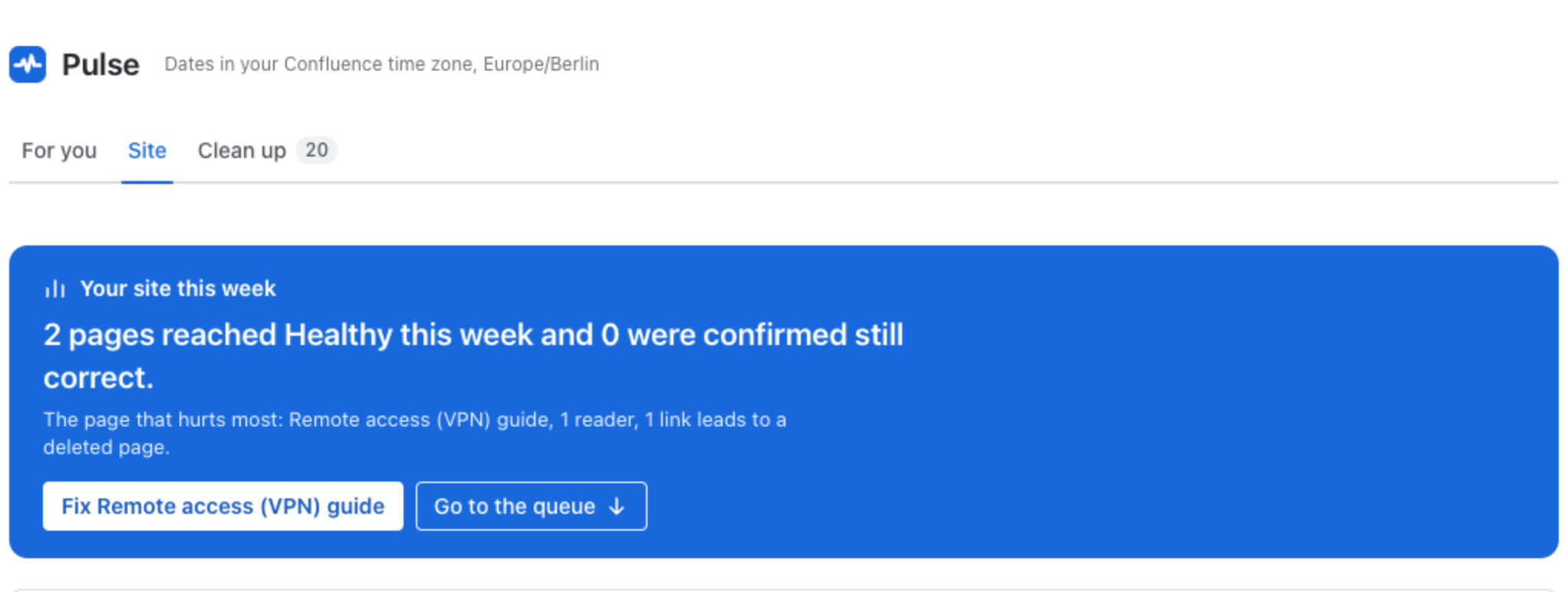
What it holds, from the top:
- Your site this week: pages that reached Healthy, pages confirmed still correct, and the page that hurts most, with a button to fix it.
- Fix by check, ranked by readers affected: each check (links that do not open, placeholder text, no headings, thin pages, pages not updated in 180 days), how many pages and readers it touches, the points it is worth on a page, and how many pages would reach Healthy if only that check were fixed. Show pages filters the queue below.
- Pages by band, per space, worst first, and Ready for an agent, per space, with the same rule as the space report.
- This week and In and out of Healthy: the pages that entered and left Healthy, week by week. Movement starts after Pulse’s first weekly check, and lifts once two weekly checks exist.
- The site queue: every page you can open that needs someone, in one ranked list. Click any bar, check or space above it to filter the queue.
- All pages, sortable and filterable, across every space you can open.
A period summary for this month or this quarter can be printed or copied as text, for a review meeting or an email.
Clean up
Section titled “Clean up”Clean up keeps two lists apart from fixing, because a page can be healthy and still say the same as another, or be one nobody needs any more:
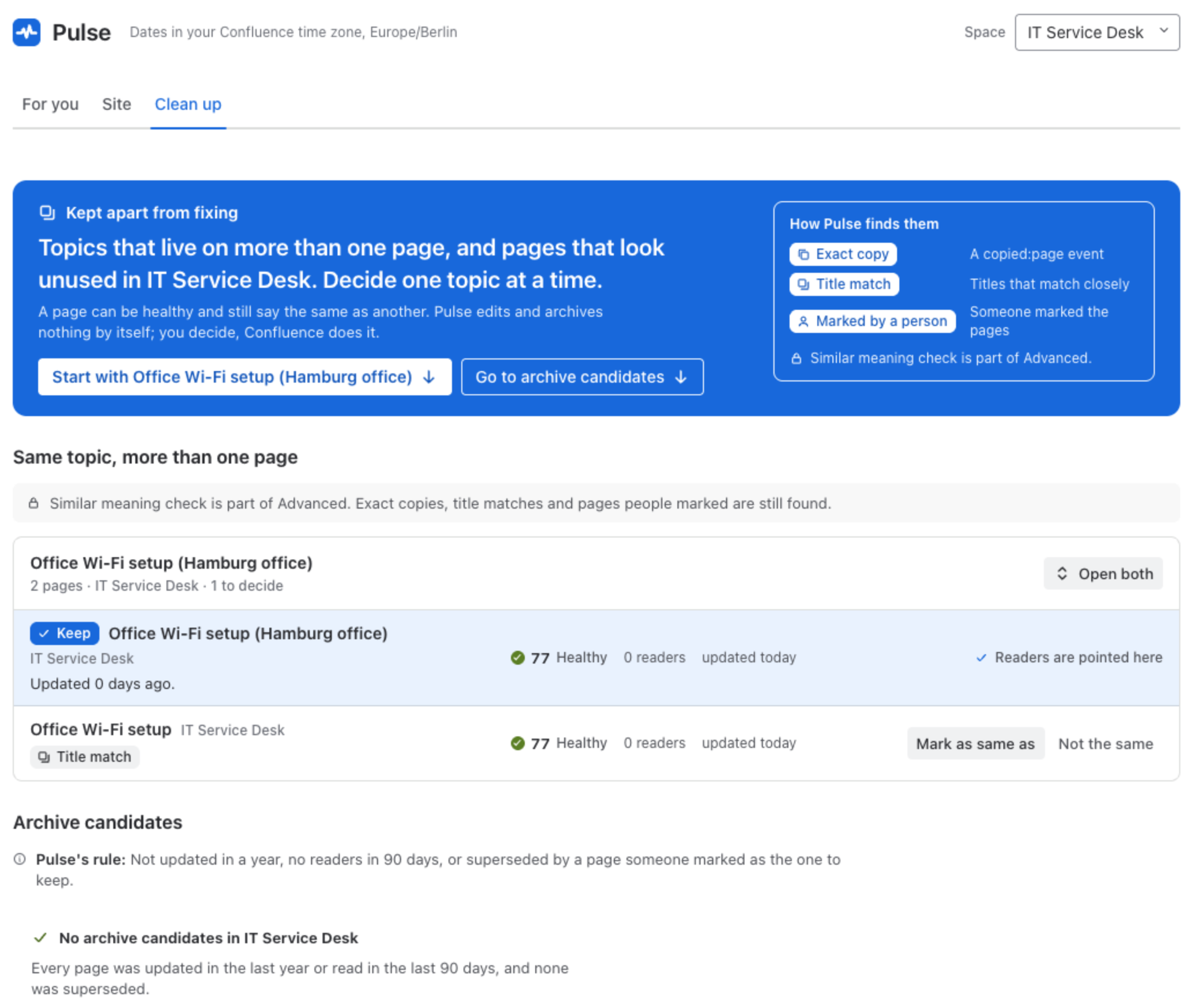
- Same topic, more than one page. Groups of pages that cover one topic.
- Archive candidates. Pages that look unused.
Pulse edits and archives nothing by itself: you decide, and Confluence does it. Filter Clean up to one space with the space menu at the top.
Pages that cover the same topic
Section titled “Pages that cover the same topic”Pulse finds them three ways:
| How | What it means |
|---|---|
| Exact copy | Someone made the page with Confluence’s Copy. |
| Title match | The titles match closely, after common words are set aside. |
| Marked by a person | Someone in your team marked the pages as the same topic. |
On the Advanced edition, the similar meaning check adds pairs that cover the same topic under different words, marked Likely same topic with the check’s short reason, never a percentage.
Each topic shows its pages side by side with their score, readers and last update. For each page you can:
- Mark as same as the page readers should use. Its readers then see one line on the page that points them to the page to keep, and the page joins the archive candidates.
- Not the same: Pulse stops pairing the two.
A decision is shared: anyone who can open both pages sees it, with its date, and by you on your own. To mark two pages you need the right to edit both. You can undo a decision within 10 minutes.
Archive candidates
Section titled “Archive candidates”A page is an archive candidate when it was not updated in a year, had no readers in 90 days, or was superseded by a page someone marked as the one to keep. Archive in Confluence opens the page, so you archive it with Confluence’s own menu. Not now puts a candidate aside until the page changes.
Pulse does not archive pages itself. When Confluence archives a page, child pages that the person archiving cannot see move up the page tree and lose the restrictions they inherited. Neither the person nor Pulse can see those pages first, so the choice stays with you, in Confluence.
- Duplicate detection: the title match while you write, and the similar meaning check.
- Space report