Content Policies
Pulse scores every page with its default formula from the start. If your team has its own standard, such as every page needs at least 300 words or stale means 60 days for us, a Confluence admin can switch the site to a content policy: seven rules with targets and weights you set.
Where to set it
Section titled “Where to set it”In Pulse settings, under Scoring and policy, choose Content policy instead of Default formula. Only Confluence admins can change the site policy; Pulse checks that right with Confluence, as the person, when they save.
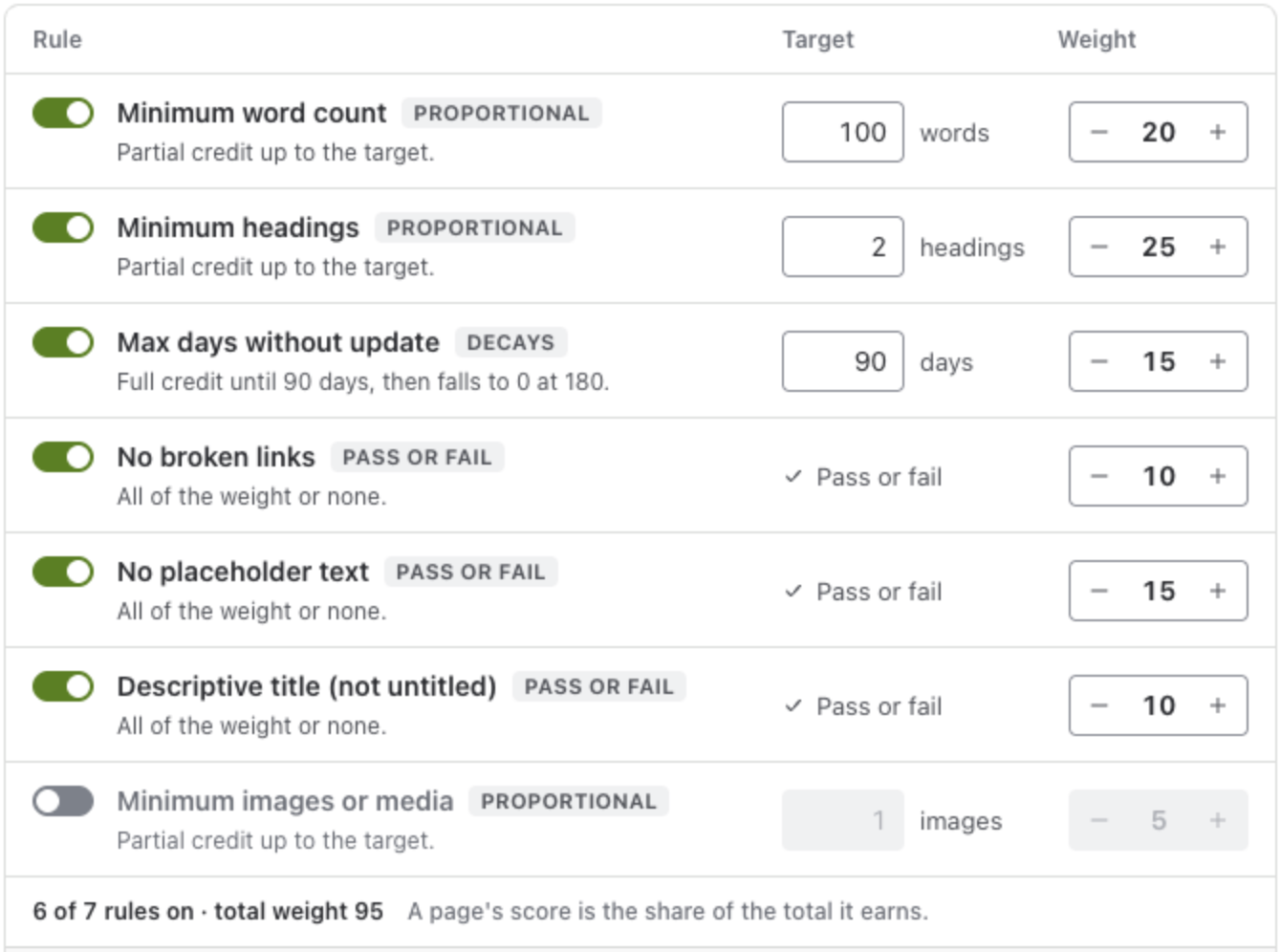
The seven rules
Section titled “The seven rules”| Rule | How it scores | Default |
|---|---|---|
| Minimum word count | Proportional: partial credit up to the target. | 100 words, weight 20 |
| Minimum headings | Proportional. | 2 headings, weight 25 |
| Max days without update | Decays: full credit until the target, then falls to 0 at twice the target. | 90 days, weight 15 |
| No broken links | Pass or fail: all of the weight or none. | weight 10 |
| No placeholder text | Pass or fail. | weight 15 |
| Descriptive title (not untitled) | Pass or fail. | weight 10 |
| Minimum images or media | Proportional. | 1 image, weight 5, off |
Each rule can be turned on or off, and given a weight from 0 to 30 in steps of 5. A page’s score is the share of the total weight it earns, shown as a percentage. The bands stay the same: Healthy from 70 percent, Needs attention from 40.
See the effect before you save
Section titled “See the effect before you save”While you change the rules, Pulse shows what they would do:
- Effect before you save: a page of your site, its score under this policy now and after its next publish, and a few more pages under the saved policy.
- Site by band, over the pages you can open: how many pages are Healthy, Needs attention and Critical with the default formula and with this policy, and how many pages would change band.
Save policy saves it for the site. Reset to the default formula goes back. The coach, Page vitals and every list then use the policy, and show the rule names, because a person should know which rule a step comes from.
A policy for one space
Section titled “A policy for one space”On the Advanced edition, a space admin can give a space a policy of its own, in the space’s settings (see Settings). Pages in that space are then scored with the space policy; every other space keeps the site policy. Pulse checks the space admin right with Confluence, as the person, when they save.
On the Standard edition, the space settings show the site policy the space uses, and a space policy cannot be set. Space policies saved earlier stay as they were.
A personal space always uses the site policy.
What policies cannot do
Section titled “What policies cannot do”Rules count structure, age and presence. They cannot judge whether the writing is good or whether the content is right; for that, people confirm a page with Still correct, and the review interval says how often. See Page vitals.