Page Vitals
Page vitals is everything Pulse knows about one page, in one window. Open it from any page you can read:
- click Page Health under the page title, next to the author and the date, or
- choose Fix with Pulse in the page’s ··· menu, or press
alt+shift+f. Fix with Pulse is offered to people who can edit the page.
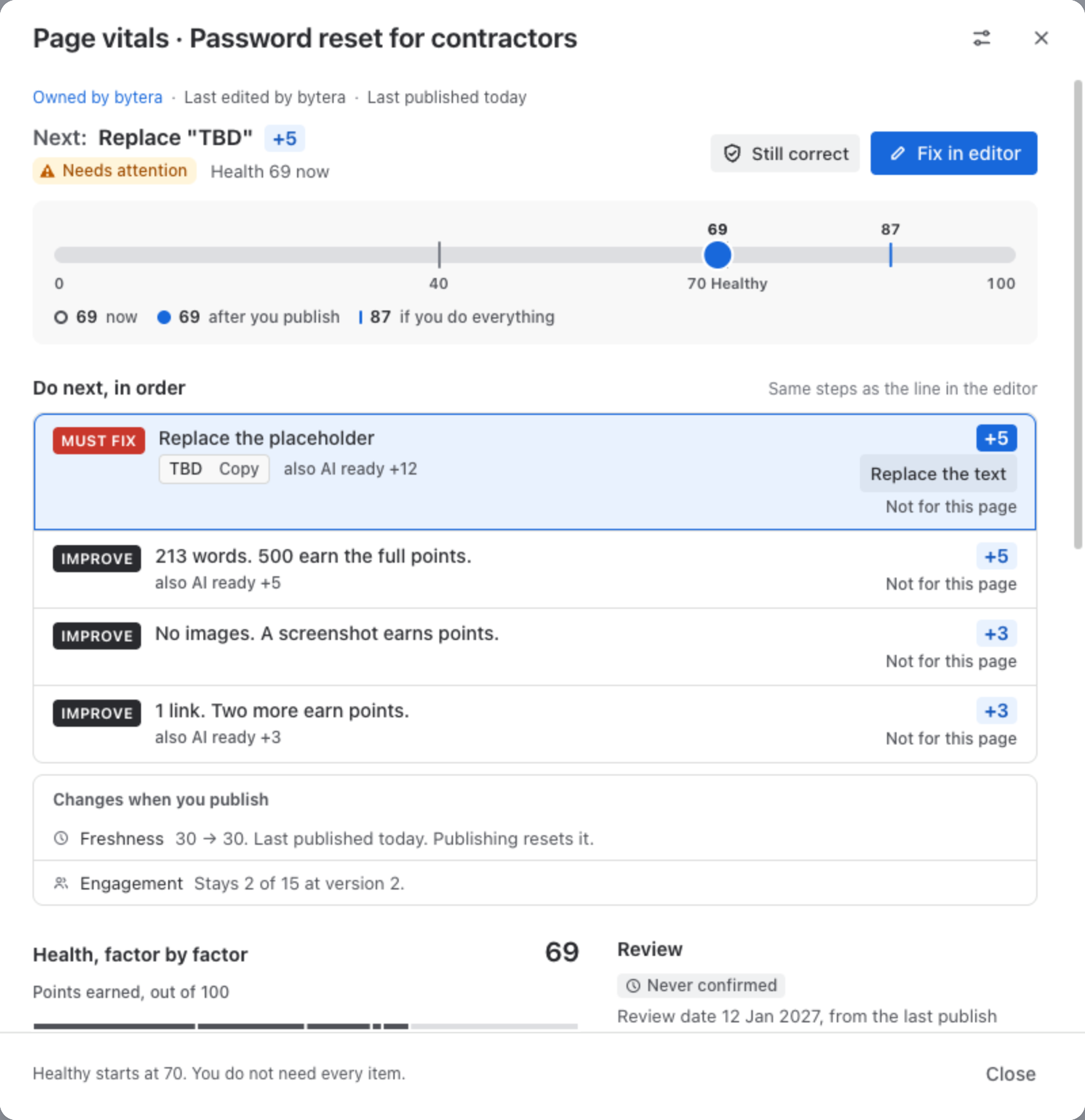
The head
Section titled “The head”- Who owns the page and who edited it last, and when it was last published. Names are looked up by your own browser, as you, and Pulse never stores them.
- Next: the one step worth the most points, with its points, and the page’s band and score.
- Fix in editor opens the page in the editor with that step ready. The line there shows the same step.
- Still correct confirms the page is right as it is. See below.
The scale shows three numbers: the score now, the score after you publish as the page stands, and the score if you do everything on the list.
Do next, in order
Section titled “Do next, in order”The same rows as the drawer in the editor, worded the same way: Must fix rows first, then the improvements that earn the most points. Not for this page hides a row for you; it never raises the score.
Two Must fix rows can be fixed from here without opening the editor:
- a placeholder left in the page: Replace the text;
- links to pages in the trash: Remove the link.
Both show you the change first and save it as you. See Changes Pulse can make.
Health and AI ready, factor by factor
Section titled “Health and AI ready, factor by factor”Further down, the Health score is broken into its five parts, with what each one earned and why, and the AI ready score into its five parts. AI ready is a lens on how well an AI agent can answer from the page; it has no band of its own.
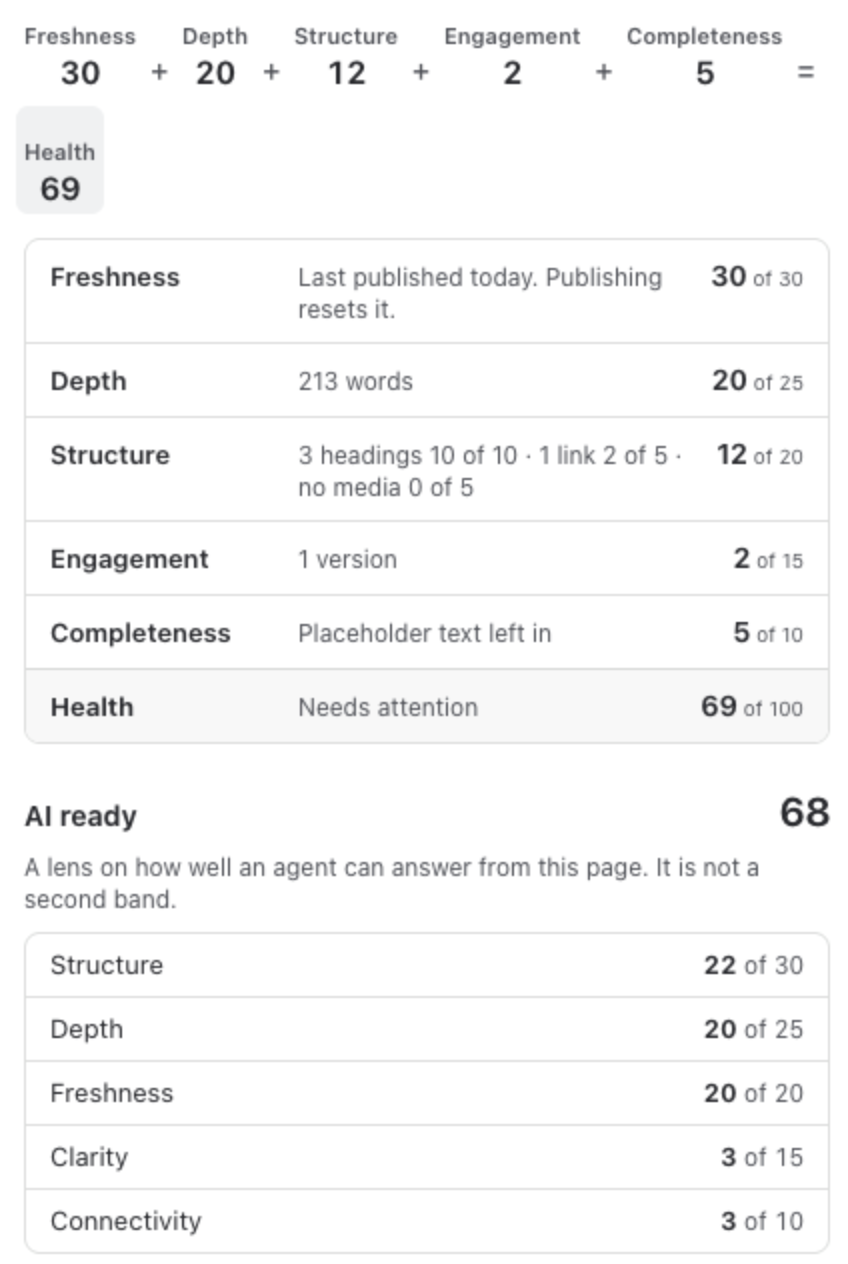
See Content Health Score and AI-Ready Score.
Review date and Still correct
Section titled “Review date and Still correct”Every page has a review date: the date someone last confirmed it correct, or its last publish, plus the review interval of its space (90 days unless an admin changed it). Page vitals shows Never confirmed for a page nobody has confirmed, and Review overdue once the date has passed.
Still correct first shows what you are vouching for: how many versions and editors the page has, its last major edit, and whether a Must fix is open. Mark still correct then records that you checked the page and it is right as it is. It sets a new review date and takes the page out of the reader notices about age. It does not change the score.
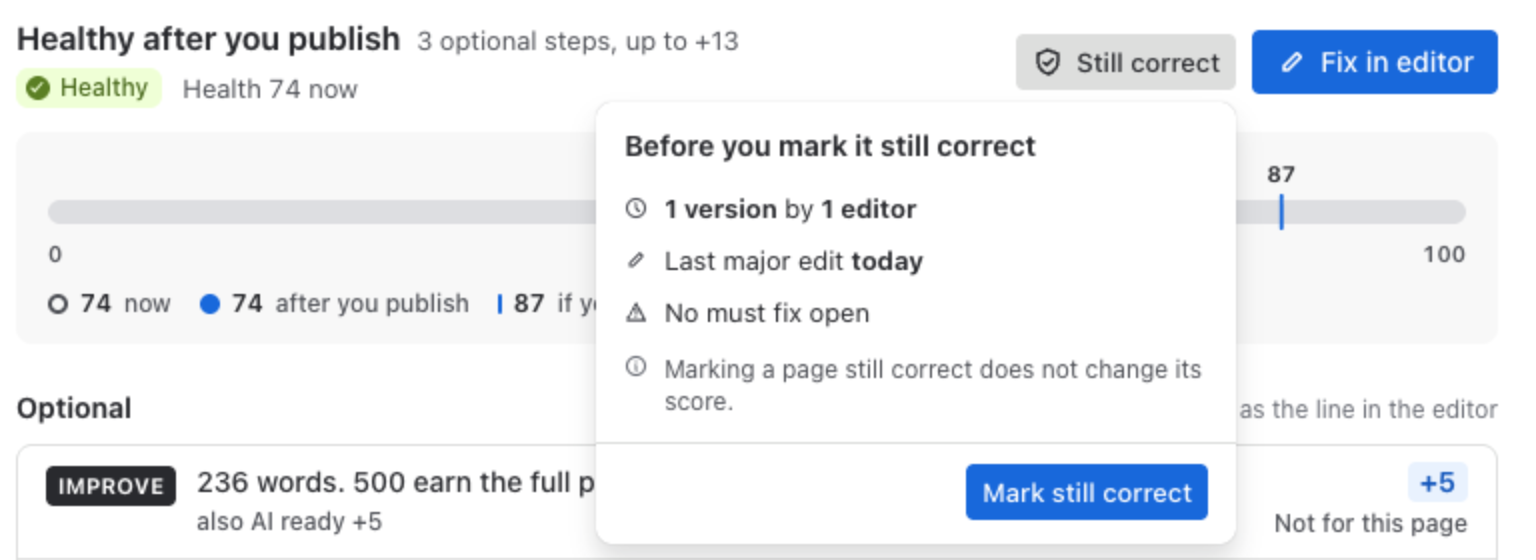
- If you change your mind, you can take your own confirmation back within 10 minutes.
- The page owner can take any confirmation back at any time.
When a page needs someone else’s eyes, Add the label needs-review puts the Confluence label
needs-review on it. Readers see the label on the page and in Confluence search. Only people who
can edit the page can change its labels. When you later mark the page Still correct here, the
flag that confirms it offers to remove the label; Pulse never takes it off by itself.
Readers, labels and similar pages
Section titled “Readers, labels and similar pages”On the right: how many people read the page in the last 30 days and its views per week, its labels, and pages with a similar title. On the Advanced edition, similar pages also come from the similar meaning check.
Mention the owner
Section titled “Mention the owner”Mention in a comment in the head writes a comment on the page that mentions its owner, in your words, as you. See Changes Pulse can make.
Your coach setting
Section titled “Your coach setting”The settings icon at the top of Page vitals holds your own coach setting: always, only on pages below Healthy, or off. It is the same setting as in the editor’s line.