The Pulse Macro
The Pulse macro is a small box you place inside a page. Insert it like any other macro: type
/Pulse in the editor and choose Pulse.
For readers
Section titled “For readers”On a published page, the macro shows when the page was last confirmed correct and when its next review is due, for example Verified on 14 Oct · next review 12 Jan. The person who confirmed it reads Verified by you. A page nobody has confirmed shows nothing.
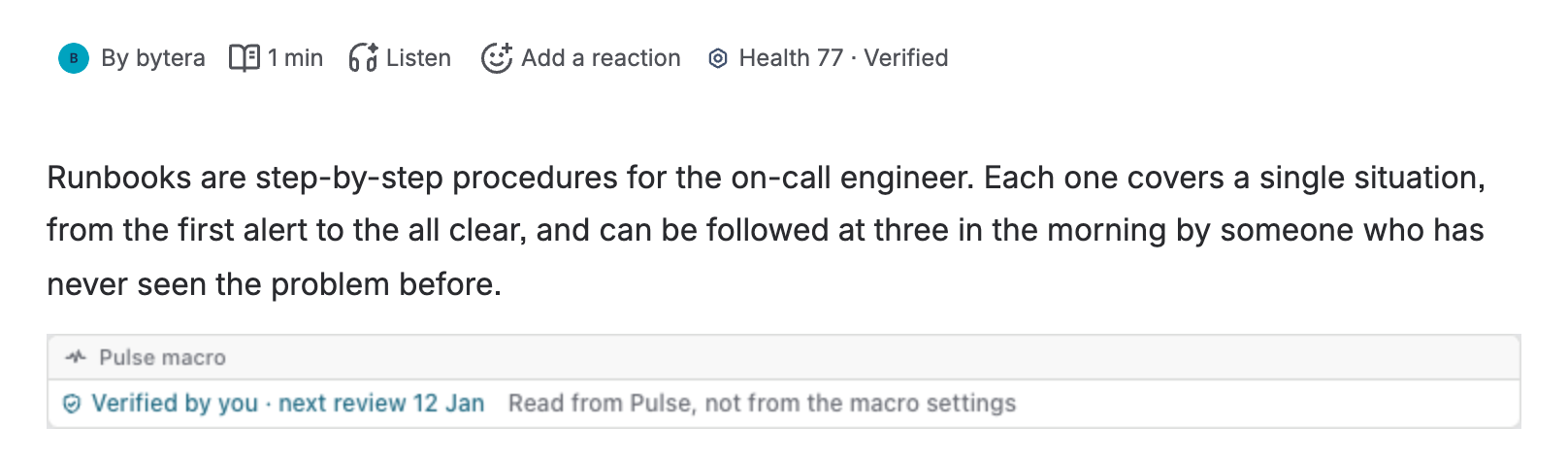
The date comes from Pulse’s own record of Still correct, read as the person viewing the page, never from the macro’s settings, so nobody can write a verification into a page by hand. See Page vitals.
In the editor
Section titled “In the editor”Where Pulse’s line shows above the page, the macro says so in one sentence and does nothing else. In an editor where the line above the page does not show, the macro runs the same line inside the page, with the same steps and the same checks of your draft.
Many macros on one page
Section titled “Many macros on one page”A page can hold several Pulse macros. They share one answer from Pulse, so a page full of macros costs no more than a page with one.